 VoxelPlay Hub
VoxelPlay Hub
VoxelPlay Hub
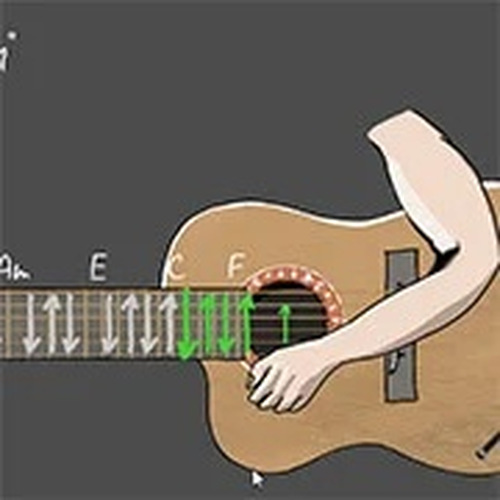
Virtual Guitar Music Studio offers a simple yet engaging way to explore music without any prior experience. The mouse and keyboard controls are intuitive, allowing you to create chords and melodies quickly. It is perfect for short breaks or longer creative sessions, providing a safe and family-friendly environment for self-expression.
Virtual Guitar Music Studio is a creative music simulation that lets you play a virtual guitar using your computer. Designed for all ages, it offers a relaxing way to explore music without any prior experience. The core objective is to enjoy the process of making music by experimenting with different chord combinations and creating your own melodies. Whether you are a music lover or just looking for a fun activity, this simulator helps you express yourself through sound in a safe and family-friendly environment. The game is accessible directly in your web browser, requiring no downloads or installations. It provides a unique opportunity to engage with music in a digital format, making it easy for anyone to start playing and composing.
To play, you use your mouse to interact with the virtual guitar. You can pinch the strings by clicking with your left mouse button and move your mouse to control the hand position. The keyboard allows you to produce chords: pressing keys 1 through 9 creates major chords, while pressing keys q, w, e, r, t, y, u, i, and o creates minor chords. You can also press the Shift key for an 'empty chord' effect. The controls are simple and intuitive, making it easy for beginners to start playing right away. Experiment with different combinations to create various sounds.
This simulator offers an interactive music experience with simple controls that are accessible to players of all ages. It is family-friendly and provides a safe environment for creative exploration. No downloads or installations are required, as the game works directly in your web browser. Players have the creative freedom to explore chords and sounds, allowing them to compose their own music without needing a real instrument. The game is designed to be a relaxing outlet for short breaks or longer sessions.
To get the most out of Virtual Guitar Music Studio, take time to experiment with different chord combinations to discover new sounds. Practice regularly to become more comfortable with the controls and to improve your ability to create melodies. Start by trying simple chord progressions and gradually build up to more complex sequences. Use the empty chord effect to add variety to your music. Most importantly, focus on having fun and expressing yourself creatively, as the goal is enjoyment rather than perfection.
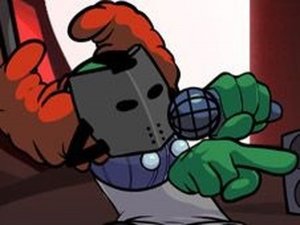
Expurgated Rhythm Showdown offers fast-paced, family-friendly fun with catchy tunes and diverse characters. A great rhythm game.

A fun rhythm duel with evolving phases and changing visuals. Great for music game fans.

A humorous and reflective life simulator that encourages thoughtful decision-making and replayability.

A fun, family-friendly arcade game with a unique coin-collecting twist after fishing.