 VoxelPlay Hub
VoxelPlay Hub
VoxelPlay Hub
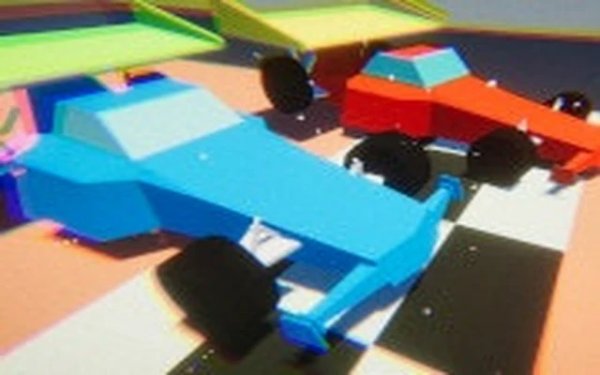
Compact Car Racing 3D delivers exactly what it promises: accessible arcade racing for everyone. The two-player local mode is great for friendly competition, and the Season mode adds a layer of strategy. The colorful 3D graphics and adjustable settings make it run smoothly on most computers. While it lacks deep customization, its straightforward gameplay is perfect for quick sessions.
Compact Car Racing 3D is an arcade racing game designed for friendly competition. Players control small cars through obstacle-filled tracks, aiming to finish first in each race. The game offers two main modes: Quick Race, which provides a random track for instant play, and Season mode, a tournament of multiple races to determine the overall winner. With simple controls and colorful 3D visuals, it is suitable for players of all ages, especially kids and families looking for quick, engaging racing sessions. The core objective is to navigate the track, avoid obstacles and black holes that can slow you down or push you off course, and cross the finish line first. What makes this game unique is its focus on accessible, head-to-head racing that anyone can pick up and enjoy without complex rules or setups.
Players use keyboard controls to steer their mini car through the track. Player 1 uses the arrow keys, while Player 2 uses the W, A, S, D keys for head-to-head racing. The objective is to navigate the track, avoid obstacles and black holes that can slow you down or push you off course, and cross the finish line first. In Quick Race mode, the track is randomly generated each time, while Season mode consists of a set number of races to determine the overall winner. The controls are simple and responsive, allowing players to focus on racing and avoiding hazards.
Compact Car Racing 3D includes two-player local multiplayer for head-to-head competition. Two game modes are available: Quick Race for random tracks and Season mode for a tournament experience. The tracks feature obstacles and black holes that add challenge and variety. Adjustable graphics settings allow players to optimize performance on slower computers. The game is easy to pick up, making it suitable for quick gaming sessions with friends or family.
To succeed in Compact Car Racing 3D, practice steering and braking to navigate tight corners and avoid obstacles. Learn the layout of each track to anticipate hazards and black holes. In Season mode, consistency across all races is key—aim for top finishes in every race rather than relying on a single win. Adjust the graphics settings if the game runs slowly to ensure smooth controls. Finally, playing with a friend can help you learn new strategies and make the game more enjoyable.

A smooth, addictive browser air hockey game with great 3D visuals and responsive controls.
Highway Racing Challenge offers fun, fast-paced racing with simple controls and rewarding upgrades for all ages.
A thrilling open-world driving game with smooth controls, diverse vehicles, and immersive city environments.
Precision Parking Challenge offers simple, addictive gameplay that sharpens your timing and reflexes. A perfect quick-play arcade experience.